|
|
 |
The left column contains a button bearing the faction emblem. Pressing it opens the "Faction Management" dialog. Three tabs are available: Ranks — the default tab; Groups — assigning people to squads; Diplomacy — political relations with other factions. |
|
|
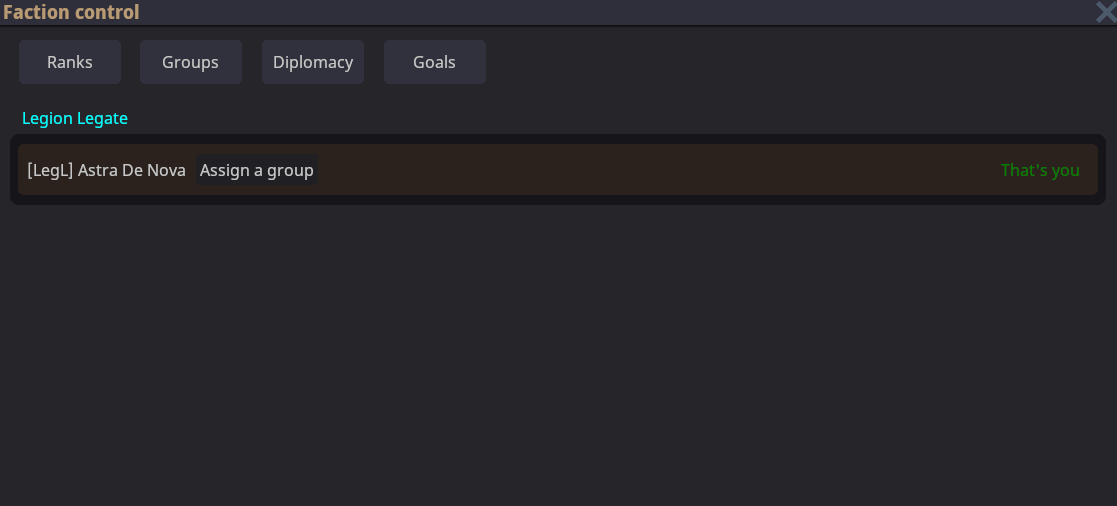 |
Displays every faction member, together with their group and current position. Members can be assigned to groups here as well, though it is more convenient to do so under "Groups". |
|
|
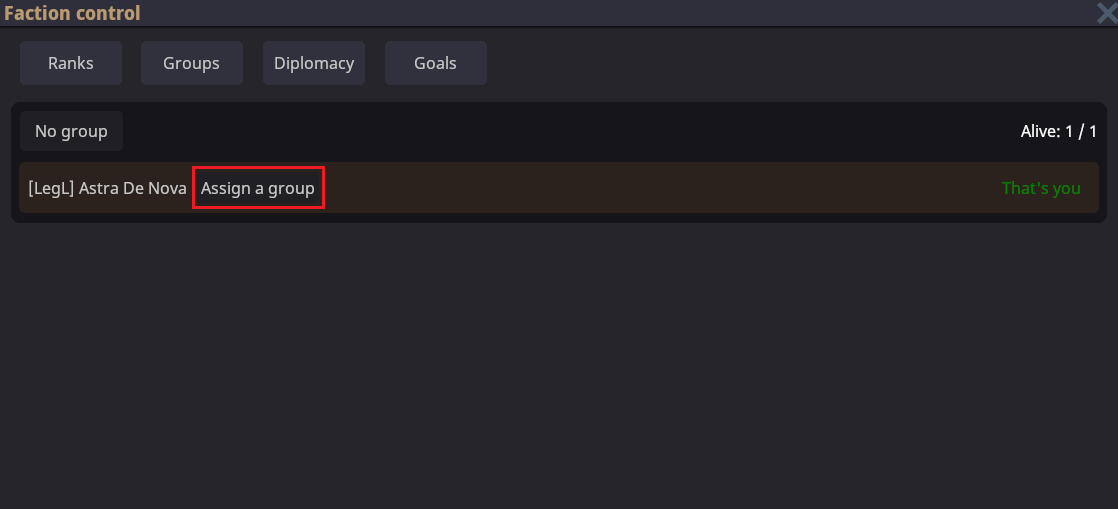 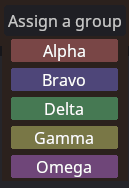 |
Divides people into squads. The "Assign Group" button opens a list of options: Alpha, Bravo, Delta, Gamma, and Omega. Once assigned, a member can be made group leader by clicking the crown icon beside their name. |
|
|
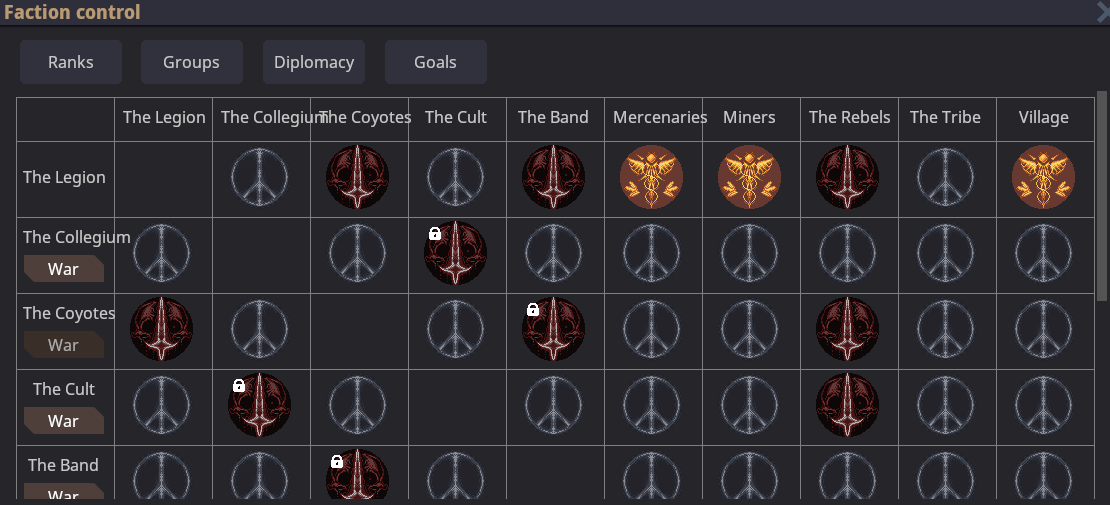 |
Displays every faction and the status of its relations. Available statuses: Alliance — an emblem with a red background and gold imagery; Neutrality — a pacifism symbol; Hostility — a red emblem with a skull; Trade Relations — scales. To declare war , use the **"War"**button. Establishing neutrality/an alliance requires meeting the other faction's leader, selecting **RMB > "Change Relations"**on them, choosing a status, and sending a proposal. The other leader receives a window where they can accept or reject it. A lock icon beside a faction means that interaction with it is unavailable. |
Faction leaders can also "request a change in relations" by letter. To do so, use a sheet of parchment and select the corresponding option with ПКМ (RMB).
|
|
 |
The leader can send a message to everyone who has a communication crystal. After awakening, members usually have the crystal in a pocket; the faction leader is the exception. |
|
|
 |
A formation can be set for each group through the **"Mark Formation"**icon. This opens a radial selector, where each faction color corresponds to a separate group. Once selected, formation markers can be drawn or removed, depending on the chosen mode. A four-person squad that occupies every marker gains a bonus to damage resistance. |
Markers:
- Yellow marker — someone is already standing in this position.
- Red marker — no one is standing in this position.
- Only a member of your faction can stand on a marker.
Limit on the number of markers:
- The number of markers that can be drawn matches the squad's size.
- If there are fewer than four people, no more than three markers can be placed.
- With two members, only two markers are available, and so on.